Dumbphone: Limit Distractions
iPhone and iPad
Make your iPhone feel like a dumbphone
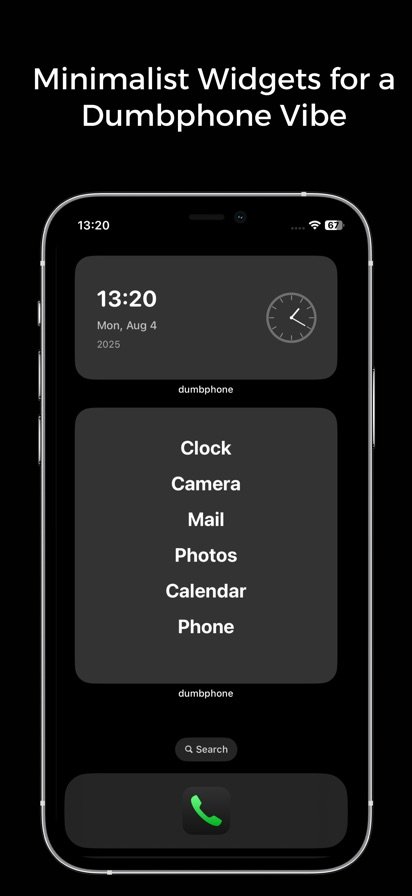
Dumbphone swaps a crowded home screen for a simple widget with only the apps you need, and a Detox Mode that blocks the ones that pull you in.
About Dumbphone
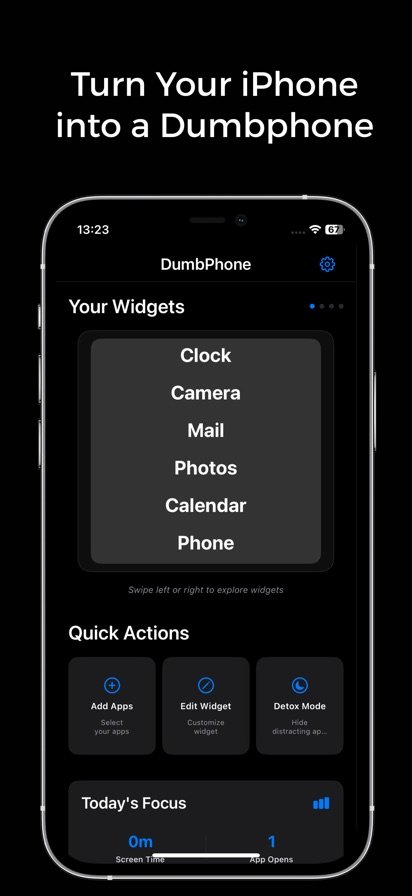
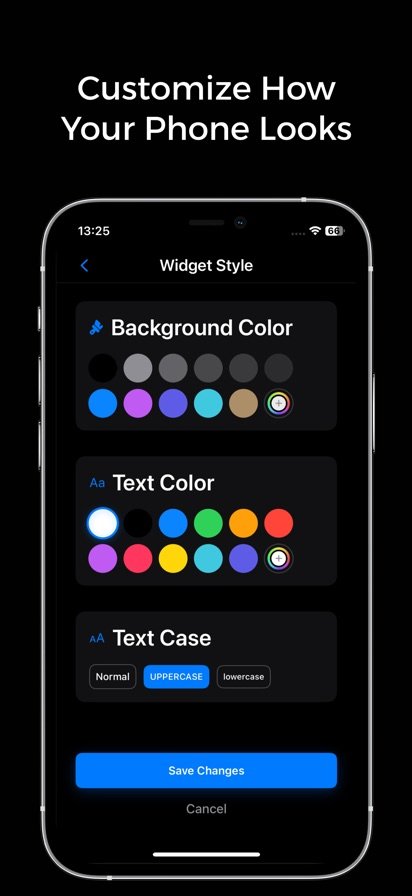
A full home screen invites you to open one more app and keep scrolling. Dumbphone takes a different approach: you choose the handful of apps that actually matter, such as Phone, Messages, Camera and Calendar, and show them as a plain list in a widget. The rest stay out of sight. You can adjust text size, alignment and styling, and the dark theme keeps the screen calm.
When you need a stronger break, Detox Mode blocks access to distracting apps like social media and entertainment until you decide to end the session. Usage insights show how often you open apps, and that tracking happens locally on your iPhone. The app also works with the iOS Shortcuts app for quick access to Camera, Calculator, Clock and other system apps.
Features
Minimal home widget
Replace a cluttered home screen with a clean widget in several sizes that lists only your essential apps.
Pick your essentials
Choose apps from Essential, Productivity, Health and Communication categories, or add your own.
Detox Mode
Block distracting apps when you need to focus, and end the session yourself when you are ready.
Private usage insights
Track daily patterns and app opens, stored only on your device.
Shortcuts integration
Launch system apps such as Camera, Calculator and Clock through the iOS Shortcuts app.
Adjustable look
Change text size, alignment and styling on a dark theme built to reduce stimulation.
How it works
- Pick the essential apps you want to keep within reach.
- Add the Dumbphone widget to your home screen and style it the way you like.
- Turn on Detox Mode when you want to block distracting apps.
- Check your usage insights to see how your habits change.
Questions
How do I turn my iPhone into a dumbphone?
Install Dumbphone, choose the few apps you actually need, and add its widget to your home screen. Move other apps off your main screen so the widget is what you see first. Turn on Detox Mode when you want distracting apps blocked.
Is Dumbphone available on Android?
No. Dumbphone is an iPhone app.
Can Dumbphone block social media apps?
Yes. Detox Mode lets you block access to distracting apps, including social media and entertainment apps, and you decide when the session ends.
Does Dumbphone collect my screen time data?
Usage tracking is stored locally on your device, and the developer says it does not track your behavior or sell your data. The app does collect crash reports and analytics, and it only asks for the permissions it needs.
Get Dumbphone
Available on iPhone and iPad.